Ozil Goal CapCut Template vs AI Generator: Free vs Paid
 Ozil Goal AI
Is there a free way to make the Ozil goal video? The CapCut template route vs an AI generator: what each needs, what you get, and when the free option is good enough.
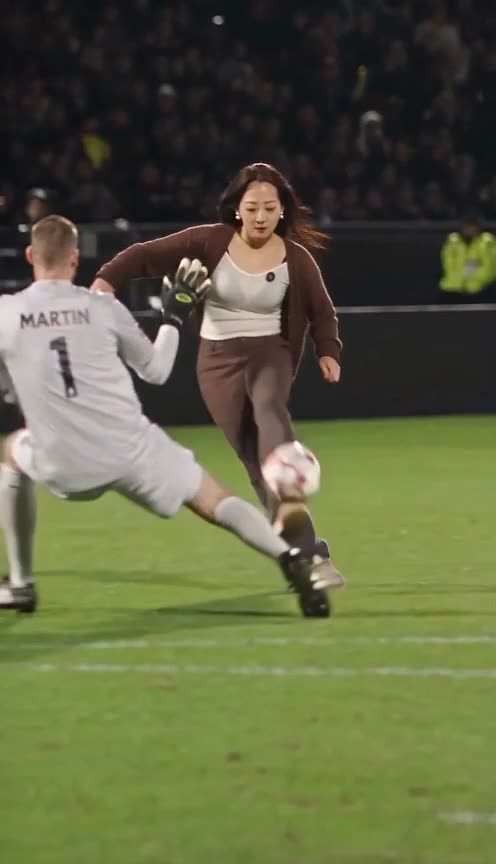
There are two common ways to make an Ozil goal video: a free template in the CapCut app, which many TikTok tutorials point to, or an AI generator like Ozil Goal AI. We sell the second one, so read this with that in mind. We will still say plainly when the free route is the better pick.
New to the trend? Start with what the Ozil goal AI trend is.
The CapCut template route (free)
Tutorials usually show these steps:
- Find a TikTok post made with a template for the trend.
- Tap the template label on the post and open it in CapCut.
- Add your photo.
- Export and post.
You need the CapCut app and an account. The template itself is free.
What we cannot tell you is exactly what a given template produces. Templates are made by different people and change over time, and we have not tested every one. Many photo templates place or animate your photo on top of an existing clip. Watch the template's own preview before you use it, so you know what you will get.
The AI generator route (paid)
On Ozil Goal AI you upload one photo, sign in, and press Generate. The AI rebuilds the whole goal with you as the scorer: your face, hair and clothes, moving through the chip, the bounce off the chest and the two sliding defenders. It takes about 4 to 5 minutes. You get a 14-second vertical MP4 with sound and no watermark, in 720p or 1080p.
It costs money because every video is rendered by an AI model: $9.90 for one 720p video, or less per video in bigger packs ($6.63 in the 3-video pack, $4.49 in the 10-video pack). There is no free video.
Side by side
- Price: CapCut template free · AI generator from $4.49 to $9.90 per video
- What you need: CapCut app and account · a browser and one photo
- What moves: depends on the template · your whole body, in your own clothes, through every move of the goal
- Quality: depends on the template and export settings · 720p or 1080p
- Time: a few minutes · about 4 to 5 minutes, sometimes up to 15
Which one should you use?
Use the free template if you only want a quick laugh, you already use CapCut, and the template preview looks like what you want.
Use an AI generator if you want it to really look like you are the one scoring, with your outfit in every shot, or you want a sharper video to post.
Whichever you pick, only use photos of yourself or of people who agreed, and say it is AI when you post. Ready to try the AI version? Make your Ozil goal video.