How to Make the Ozil Goal AI Video (Step by Step)
 Ozil Goal AI
Make the viral Ozil goal AI video from one photo: pick the right photo, sign in, buy a pack, generate, wait a few minutes and download your 14-second clip.
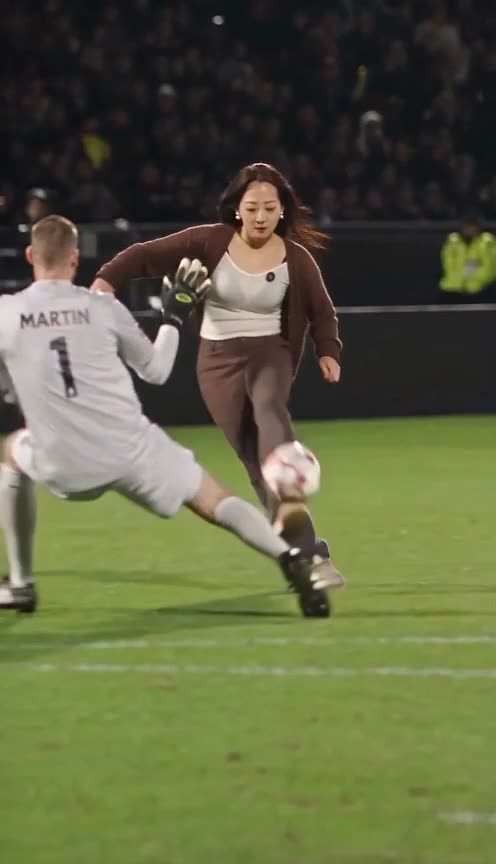
The Ozil goal AI video puts you in Mesut Ozil's famous 2016 goal: you chip the keeper, let two defenders slide past and shoot for the empty net. You need one photo and about five minutes. Here is the whole process on the Ozil goal AI video generator.
1. Pick one photo
Use a selfie or a half-body photo where your face is large and clear. One person only, nothing covering the face. A half-body photo is fine: the AI finishes your outfit below the waist in matching colours.
The photo matters more than anything else. If the face is small in the frame, the result drifts towards someone else's face. The photo guide explains what works and why.
2. Upload it and tick the consent box
On the home page, click the upload box and choose your photo (JPG, PNG or WebP, up to 10 MB). Tick the box that confirms you are the person in the photo, or that they agreed, and that you are 13 or older. Do not upload celebrities or minors without consent.
3. Choose the quality
- 720p uses 100 credits. It looks sharp on a phone, which is where these clips are watched.
- 1080p uses 250 credits. Pick it if you want to post on a big screen or crop the video.
4. Sign in and buy a pack
When you press Generate, you sign in with Google or with an email and password. If you have no credits yet, pick a pack on the pricing page:
- $9.90: 1 video in 720p ($9.90 per video)
- $19.90: 3 videos in 720p, or 1 in 1080p ($6.63 per video, save 33%)
- $44.90: 10 videos in 720p, or 4 in 1080p ($4.49 per video, save 55%)
You pay once with PayPal (balance or card). There is no subscription. Credits last 12 months.
5. Generate and wait
Press Generate. The video usually takes 4 to 5 minutes. On busy days it can take up to about 15 minutes. You can leave the page open and come back. If a video fails or times out, the credits go back to your balance automatically.
6. Download and post
When the video is ready, press Download. You get a 14-second vertical MP4 with the stadium sound, ready for TikTok, Reels, Shorts and X. There is no watermark.
Your photo is set to expire 24 hours after upload. We never sell photos or use them to train models.
What the finished clip looks like
Every video follows the same three beats as the original goal:
- The chip (0–3 s): you run onto the ball and lift it over the diving keeper.
- The bounce (3–8 s): the ball drops out of the floodlights, bounces off your chest and you carry it on.
- The slide (8–14 s): two defenders slide in, miss, and you shoot for the empty net.
Want the story behind the goal? Read what the Ozil goal AI trend is and where it comes from.